


Key Takeaways
- Reliable field data begins with a clear process, not simply a new app or device.
- Forms should make accurate entry easier through simple language, required fields, and useful prompts.
- Offline capability is essential for crews working in remote locations, large facilities, and low-service areas.
- Clear review paths and defined ownership prevent records from sitting unresolved after submission.
- Field records create value when they trigger the next action, such as a repair, invoice, safety follow-up, or report.
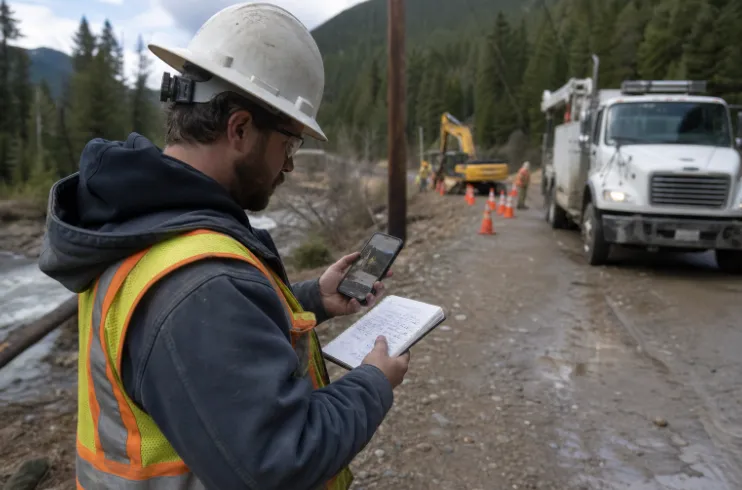
Field teams create information that keeps operations moving. Inspectors document conditions, technicians record readings, supervisors capture progress, and crews collect photos, signatures, and location details. Yet many organizations still struggle to turn those records into timely, dependable business decisions. A practical workflow for offline forms construction crews can help teams capture information at the worksite, retain it during connection problems, and send it to the office when service returns.
Reliable workflows matter across construction, utilities, maintenance, engineering, environmental services, inspections, and delivery operations. The goal is not to force every worker into a complicated system. It is to create a repeatable process that helps people submit complete records, gives reviewers the context they need, and makes the next action obvious.
Why Field Data Workflows Still Break Down
Many workflow problems start with disconnected habits. A technician may write readings in a notebook, text photos to a manager, and send an email describing the issue. Later, an office employee has to match those pieces together, enter the details into another system, and ask follow-up questions about anything missing.
That process creates delays, duplicate entries, and uncertainty about which version is current. It also makes data quality harder to protect because information is scattered across paper, messages, email threads, spreadsheets, and personal devices.
Start With the Workflow, Not the Software
Before changing forms or selecting technology, map the current process. Identify where information starts, who handles it, which decisions depend on it, and where it slows down. A simple map often exposes problems that are easy to miss when teams focus only on the form itself.
Common Warning Signs
- Workers enter the same details in more than one place.
- Photos, notes, and signatures are stored separately.
- Managers cannot identify the newest version of a record.
- Reports depend on one person’s memory or filing habits.
- Missing details are discovered days after the site visit.
Design Forms That Help People Get Work Done
Good field forms guide users without adding unnecessary friction. Put the most important questions first, use plain language, and require only the information needed to make a decision, document compliance, or complete the next task.
Useful Form Design Rules
- Make critical details required, including job number, location, and completion status.
- Use drop-down choices when responses need to stay consistent.
- Allow photos, sketches, or attachments when visual proof matters.
- Use conditional questions so irrelevant fields stay hidden.
- Include brief instructions at the point where workers need them.
- Use number ranges, date checks, and format rules to catch obvious errors.
For example, an inspection form can first ask whether a defect exists. If the answer is yes, it can then request the defect type, severity, exact location, photo, and recommended action. This approach keeps routine submissions fast while capturing detail when it matters.
Build Data Checks Into Collection
Errors cost less to fix while the worker is still on site. A missing serial number, unreadable photo, or incorrect measurement may be simple to correct during the visit but difficult to resolve after equipment has been moved or the crew has left.
Build checks directly into the collection step. Require photos for certain findings, flag values outside expected ranges, confirm dates and times, and route unusual results for review. These controls improve consistency without asking office staff to manually inspect every routine submission.
Plan for Offline and Low-Connection Work
Field workflows should not depend on continuous connectivity. Crews may work underground, inside industrial facilities, on rural sites, or in temporary project areas with unreliable service. A dependable process lets users open forms, save drafts, and complete work without worrying that a signal loss will erase the record.
Workers should also be able to see whether a submission is saved locally, queued for sync, or successfully delivered to the central system. Supervisors need visibility into records that still require upload or correction.
Create a Clear Review and Approval Path
Submission is not the end of the workflow. Someone may need to check completeness, verify an exception, approve completed work, or return the record for correction. The review path should match the level of risk. A routine daily update may need a quick check, while a failed inspection or safety incident may require several approvals.
A Practical Review Sequence
- The field worker reviews the record before leaving the site.
- A supervisor checks unusual results, safety concerns, or exceptions.
- The office team confirms required attachments and documentation.
- The responsible manager approves the record or requests changes.
- The finalized record moves to reporting, billing, maintenance, or compliance storage.
Connect Records to the Next Business Action
Field data becomes valuable when it drives action. An inspection finding can create a repair request. A signed delivery confirmation can support invoicing. A safety observation can open a corrective action. Define the next action for every major form so completed records do not simply sit in a folder.
- Inspection results can trigger maintenance requests.
- Time records can move into payroll or billing review.
- Asset readings can support preventive maintenance schedules.
- Progress updates can feed project dashboards.
- Safety reports can create assigned corrective actions.
Protect Quality With Simple Governance
Governance does not need to start with a lengthy policy manual. Assign an owner to each workflow, establish consistent record names, limit edits after approval, and keep a history of changes. Review forms regularly and remove outdated versions so workers do not accidentally use the wrong process.
Track a small set of practical measures: submission-to-review time, records returned for correction, missing attachments, first-pass completion rate, approval time, and time from completed work to billing or reporting. Compare results before and after changes to measure both speed and accuracy.
A 30-Day Plan for Improvement
- Days 1 to 5: Select one high-volume workflow with visible delays.
- Days 6 to 10: Map the process and interview the people who use it.
- Days 11 to 15: Remove duplicate questions and clarify required information.
- Days 16 to 20: Add validation rules, review steps, and ownership.
- Days 21 to 25: Test the revised workflow with a small field group.
- Days 26 to 30: Review errors, collect feedback, and refine the process.
Conclusion
Reliable field data workflows come from clear steps, useful forms, timely review, and accountable handoffs. Teams do not need to change every process at once. Start with one workflow, test it with the people doing the work, and improve it based on real results. Small, well-designed changes can reduce rework, speed decisions, and create records the entire organization can trust.